Worklog is a Mac app that auto-logs everything you do in Claude Code, Codex and Cursor — then turns it into focus-time analytics and weekly reviews. The records pile up while you work.
Hooks into Claude Code, Codex and Cursor. Every session becomes a one-line log with title, duration and even the AI model used. The only thing you type by hand is meeting notes.
⏱
Real focus time
Idle time is excluded automatically. Run multiple AI sessions in parallel and overlapping periods are merged, so you see your true working hours.
🔒
Data stays on your Mac
Everything is stored as local plain-text files (JSONL). No cloud upload, no subscription — you can even grep it.
Auto loggingFocus timeParallel AI sessionsModel analyticsActivity heatmapDaily summariesAI reviews100% localAuto loggingFocus timeParallel AI sessionsModel analyticsActivity heatmapDaily summariesAI reviews100% local
Timeline
Your whole day, at a glance.
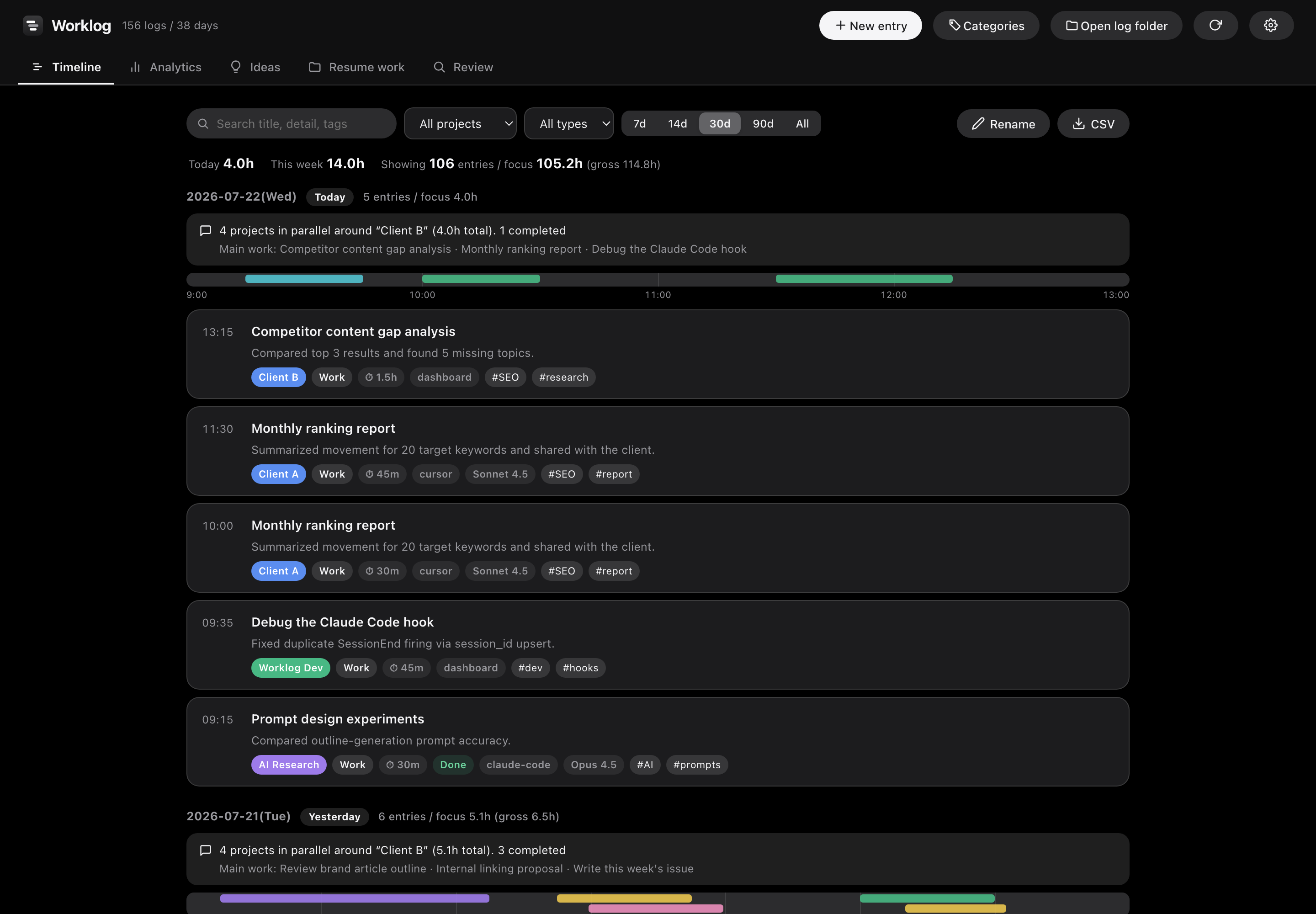
An auto-generated summary comment tells you what each day was about in one line. The time bar with hour marks shows when each project was active — including overlapping parallel sessions.
Always-on focus summary: "Today 3.3h · This week 12.0h"
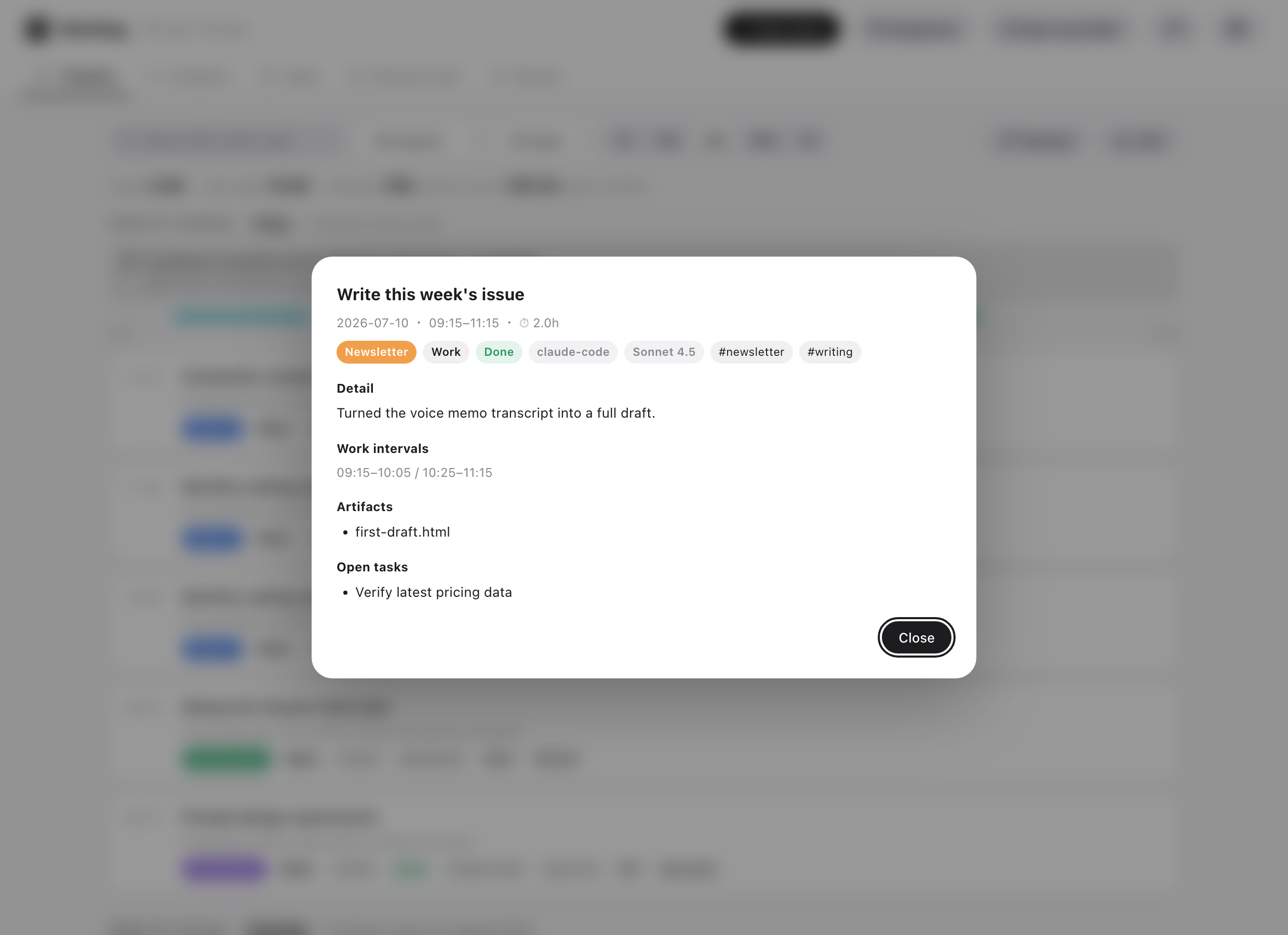
Click any log title to see details, artifacts and next actions
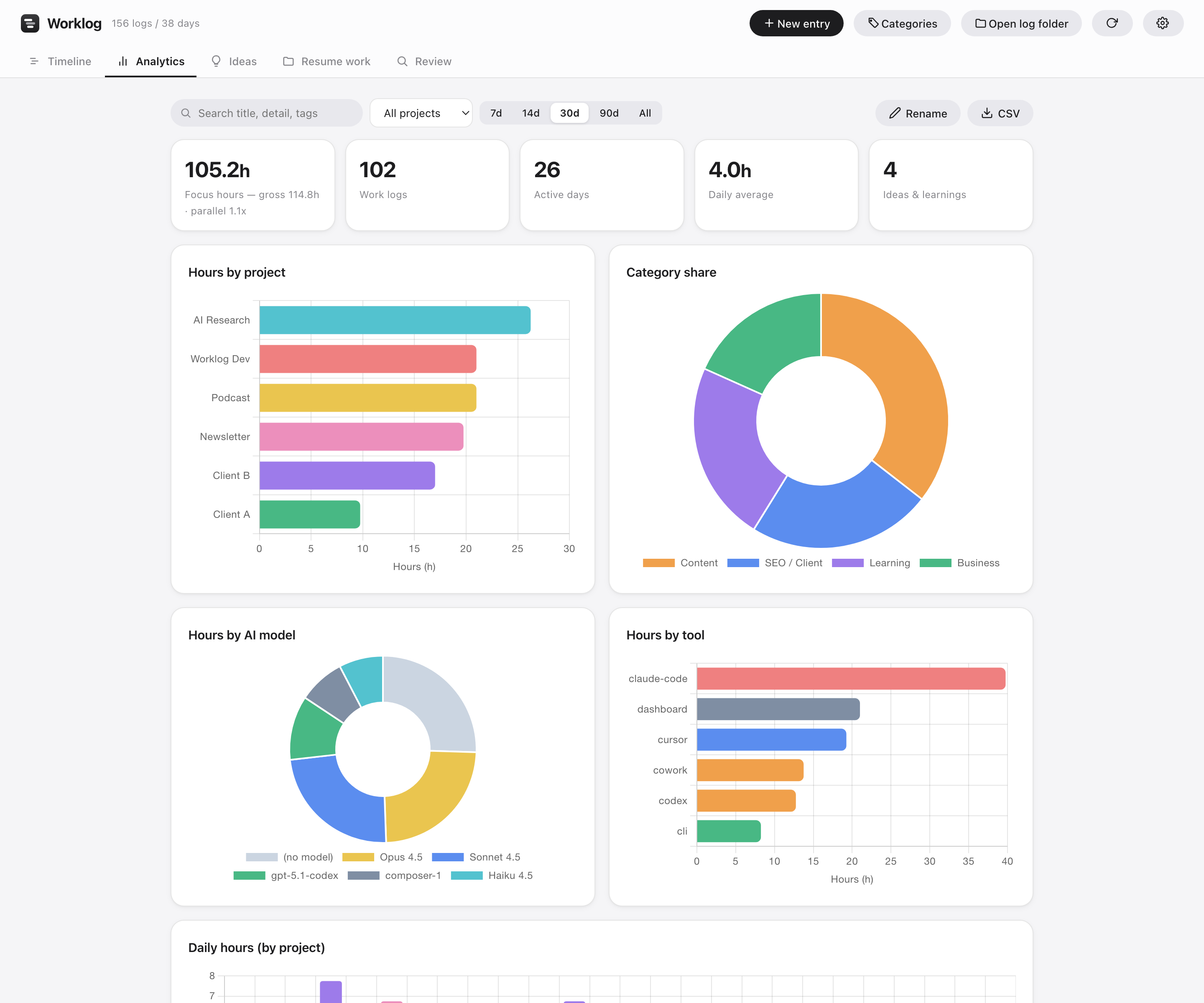
Analytics
Where your time went. Which AI you worked with.
Hours by project and category, plus automatic breakdowns by AI model — Opus, Sonnet, GPT and more. The 6-month activity heatmap gives you a bird's-eye view of your work style.
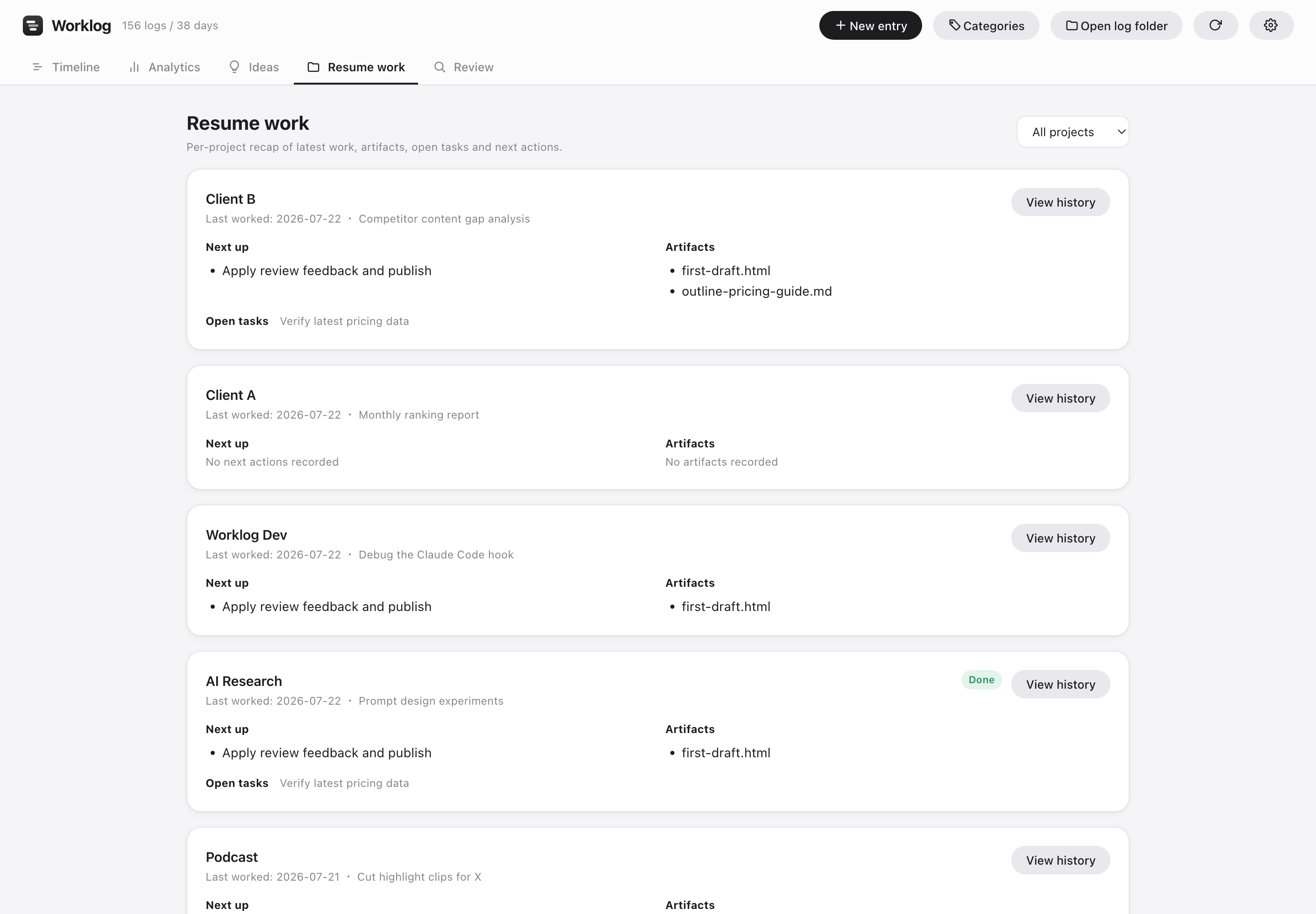
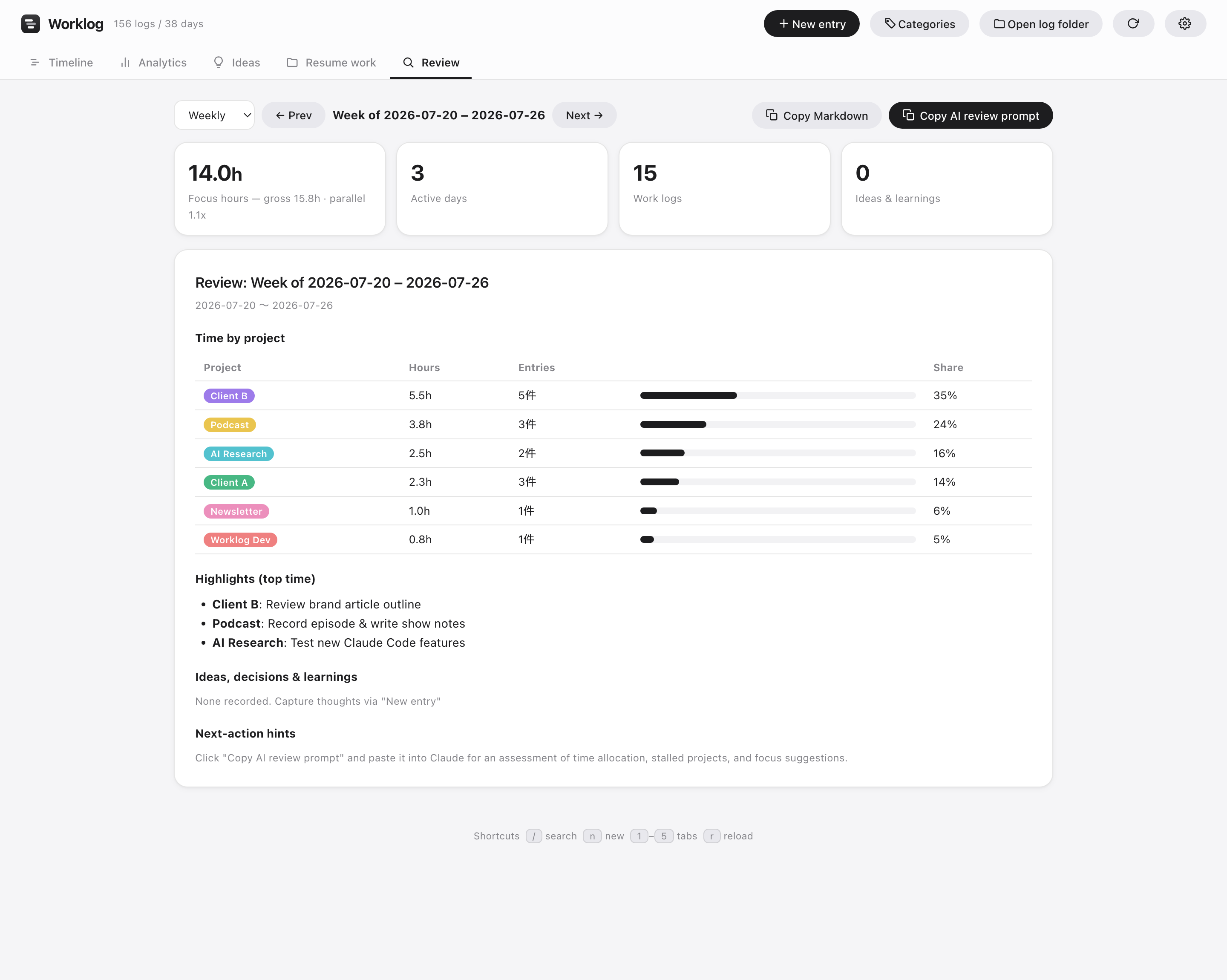
Resume & Review
Resume in seconds. Review with AI.
For every project, Worklog auto-collects the latest artifacts, open tasks and next actions. And your accumulated logs become a one-click prompt — paste it into ChatGPT, Claude, Gemini or any AI to get time-allocation feedback and next week's focus. An analyzable asset that grows more valuable the more you work.
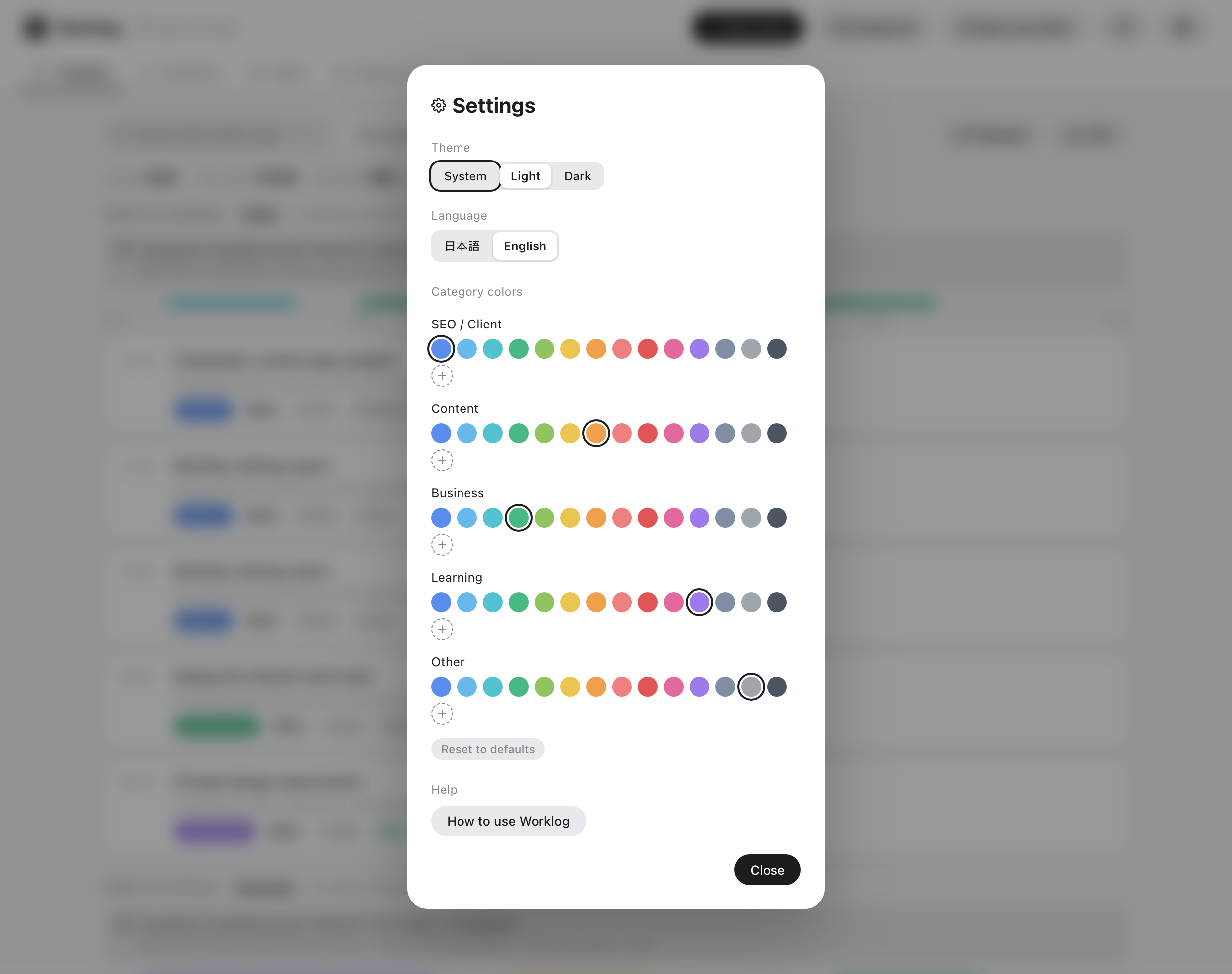
Personalize
Make it yours.
Light and dark themes, English and Japanese, and customizable category colors — pick from 14 presets or create your own with the color palette.
Your work data belongs to you.
Worklog has no server. Every log lives in plain text (JSONL) on your Mac — read it, edit it, take it anywhere, anytime.
Local storage
One file per day in ~/Documents/Worklog. Back up or sync however you like.
No phoning home
Zero analytics, zero tracking. Works entirely offline.
Open format
JSONL plus CSV export. Migrating elsewhere is a one-script job.
Start logging with today's work.
Setup takes 3 minutes. Integrations are one click.